
MENU TIGER vs Clover: Which System Should You Get
Last Updated: September 1, 2026
Restaurant management platforms simplify food service operations, but not all of them do it the same way or have the same price point.
These two factors can make choosing the right system a challenge for any business owner.
This time, we’re covering the differences between MENU TIGER vs Clover. Both come with features that support restaurant management, but while the former is a web-based platform, the latter is an Android-based platform that is provided in proprietary devices.
To help you choose, this in-depth comparison breaks down the features of each system, its pros, cons, and what each one is most suited for.
TL;DR: Quick takeaways
| Choose MENU TIGER if… | Choose Clover if… |
| A restaurant online ordering system is its primary ordering channel. | Physical POS terminals are central to your ordering system. |
| You want a platform mainly for front-of-house operations | You need a powerful POS system first and a restaurant management system second |
| You prefer a smooth setup with little to no technical configuration. | You want a fast setup with a customizable system. |
| You prefer that all features are available upon use | You want to pick and choose applications that best suit your needs |
| Streamlining front-of-house operations is your main goal. | Streamlining payment processing, inventory awareness, employee management, and financial reporting is the priority. |
| You need straightforward ordering, tables, and kitchen workflows. | You require more efficient inventory management with your kitchen workflows. |
| You manage up to five busy physical locations. | You oversee establishments across multiple locations. |
| Commission-free online ordering is a high priority. | Financial reporting and accounting are essential. |
| You want little to no technical onboarding for your service staff. | You have the funds for proprietary hardware and its corresponding contract. |
MENU TIGER vs Clover: Where each system excels at
MENU TIGER
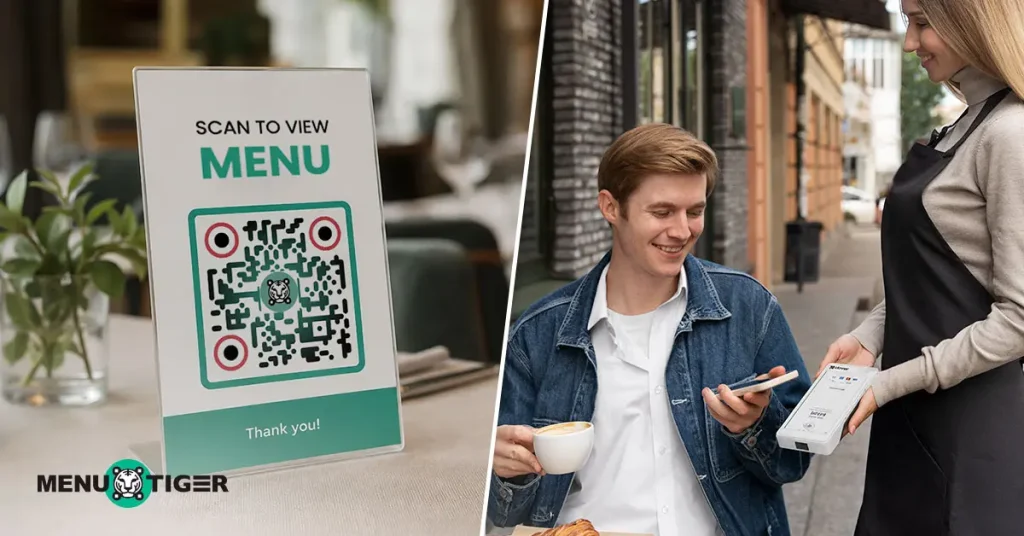
Best for: Restaurants looking for an affordable, straightforward, all-in-one restaurant management platform compatible with any device
MENU TIGER combines digital ordering, front-of-house operations, and customer engagement into one affordable package.
With this system, restaurants simplify the ordering process for customers while tracking data that can be used to enhance marketing and branding.
It does all this with software that can work with almost any device, which means hardware won’t be an issue for users.
Pros
- Converts printed menus into digital menus through an AI menu maker
- Enables menu upselling through promotions, add-ons, and discounts
- Provides essential restaurant tools all in one package; no modular applications or installations
- Supports commission-free ordering for delivery, pickup, and dine-in channels
Cons
- Limited ERP capabilities when compared to other platforms like Clover
- Lacks support for advanced accounting, payroll, or enterprise-level back-office management
Clover’s restaurant POS system
Best for: Restaurants mainly looking for a customizable POS system and are willing to invest in proprietary hardware.
Pros
- Easy to learn and use, even for users with no experience using POS systems
- Offers several optional apps and software integrations that can be installed on purchased hardware
Cons
- Requires the purchase of proprietary hardware to use POS systems
- High upfront costs, more expensive than typical tablets or POS systems
- Systems and contracts may have to be purchased through resellers
Clover is mainly a POS system, but it can be so much more thanks to its app market. Users can add apps for additional analytics or for customer relationship management.
Anything a restaurant might need can be found there, with many developers adding more to the market.
Unlike MENU TIGER, it offers a variety of devices to help businesses run their restaurants. From stations to handheld devices, an entire ecosystem can be built with Clover.

MENU TIGER vs Clover: Detailed feature comparison
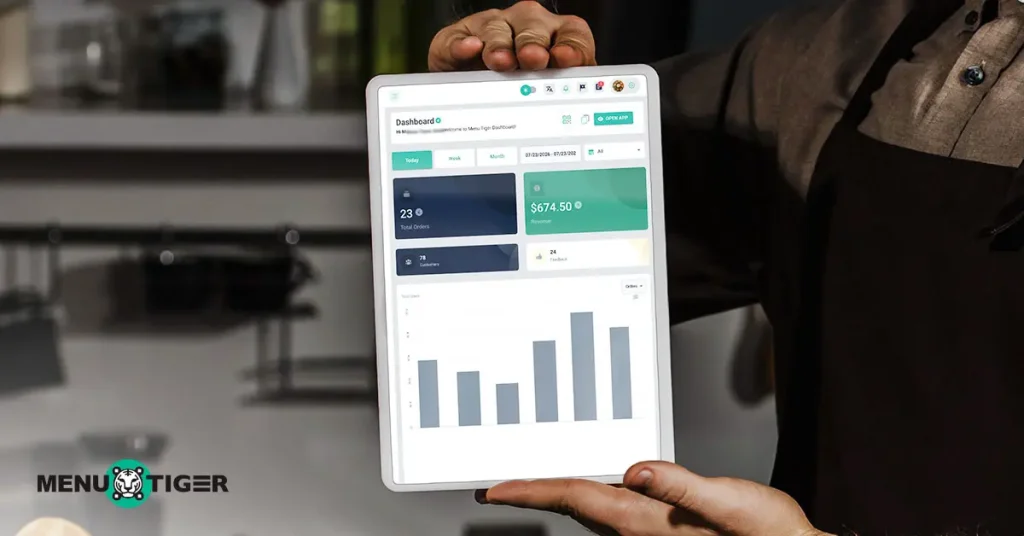
This breakdown covers restaurant management features that both platforms offer.
Since Clover’s POS system isn’t exclusive to restaurants, some of its offerings won’t be discussed.
Clover offers a POS system that can be customized with various apps and integrations to make it an effective restaurant management platform.
MENU TIGER has all restaurant-focused features right from the start, but it is lacking in a couple of aspects, as seen below.
Ordering system
| Feature | MENU TIGER | Clover |
| QR code ordering system | Core ordering feature for customers who prefer contactless ordering | A recent addition to their contactless commerce software |
| Point of Sale (POS) | Built-in POS with Square POS and Loyverse integration | Core feature with its own hardware |
| Online ordering | QR code and online ordering for pickup and delivery. | QR code and online ordering for pickup and delivery. |
| Kiosk | Can be deployed on compatible third-party touchscreen devices | Acts as an all-in-one self-ordering device with a 24″ display, contactless payment system, and a built-in printer. |
Front-of-house and back-of-house operation
| Feature | MENU TIGER | Clover |
| Kitchen display system | Tablet-based KDS with color-coded tickets, prep timers, and order channel tracking | Screen installation with real-time tracking of ticket times, consolidation of order statuses, and runner ticket printing |
| Table management software | Real-time table status availability, QR code assignment, and table monitoring | Table mapping, seating, and monitoring |
| Table reservation | (Coming soon) | Available as online booking through a custom website or through app integrations |
| Inventory management | (Coming soon) | Bulk import inventory from Excel sheets, management of items, categories, and stock, with the ability to update their availability online |
| Feedback management | Built-in customer feedback collection | Customer feedback is collected through texts or the Clover consumer app |
| Customer assistance | Built-in waiter call and service request from the digital menu | Not available |
Restaurant performance tracking and analytics
| Feature | MENU TIGER | Clover |
| Menu performance report | Track best-selling items | Track best-selling items |
| Sale report | Support real-time and full sales analytics and order reports | Support real-time and full sales analytics with refund and discount volume |
| Accounting | Basic sales and tax reporting | Detailed sales and tax reporting |
| Dashboards | Restaurant sales and operational dashboards | Restaurant sales and operational dashboards |
Marketing and growth
| Feature | MENU TIGER | Clover |
| CRM | Customer profiles, order history, feedback management and promo creation | Customer profiles, notes and segmentation with order history, feedback management, reward program creation and progress tracking |
| Email and SMS | Built-in promotional tool, send notifications, and customer updates | Several tools available through the platform’s app market that can help in engaging with customers |
| Restaurant website | SEO-optimized website with online ordering | SEO-optimized website with online ordering and service booking |
| Social marketing | Display social media links on the restaurant website | Display social media links on the restaurant website |
Setup and implementation
| Stage | MENU TIGER | Clover |
| Initial setup | Automated menu import through AI | Plug-and-play tablet system based on Android OS |
| Staff onboarding | Minimal training required | Minimal training required |
| Hardware requirements | Works with existing smartphones and other devices | Offers its own hardware |
| Time to launch | Typically within hours | Typically within minutes |
| IT involvement | Minimal | Minimal |
Which restaurant online ordering system is best for your restaurant type?
MENU TIGER
Best suited for:
- Food trucks and pop-ups
- Cafés and coffee shops
- Bakery
- Small independent restaurant
- Quick service restaurant
- Full-service restaurant
MENU TIGER is perfectly suited to these types of restaurants because it offers a simple restaurant management system solution with no significant hardware investment.
Because existing devices can be used to run the platform, restaurant owners and managers don’t have to look for the right system to use.
Despite being a very straightforward solution to restaurant management, it is also comprehensive enough that both quick service and full-service establishments can make full use of its features.
Clover
Best suited for:
- Quick service restaurants
- Full-service restaurants
- Medium-sized restaurants
- Hotels and resorts
Because of its high upfront costs, Clover’s restaurant POS system is best suited for establishments that can truly take advantage of its entire ecosystem.
Aside from its wide array of hardware options, Clover’s toolkit is dedicated to restaurant management, from payment collection to inventory management.
Why should you choose MENU TIGER?
On paper, Clover gives users a well-rounded and customizable platform that can make restaurant operations run smoothly. However, there are a few reasons why MENU TIGER is a good contender.
1. Customer-focused features
With MENU TIGER, you can focus on customer satisfaction.
Features like a digital “waiter call” button, QR code menus, and table-side payments allow customers to engage with your business without having to physically need any of your staff.
With the system taking over repetitive tasks, you and the restaurant get to focus on delivering a satisfactory customer service possible.
2. Minimal training required for use
MENU TIGER is also easy to pick up and learn, allowing you to quickly train current and future staff without hampering your restaurant’s operations.
- App-free ecosystem
MENU TIGER offers several features— all packaged into one system.
As a user, you won’t have to download additional apps or integrations to make the perfect management platform, be it a table management or kitchen display.
Instead, all the essentials are ready for use as soon as you can access MENU TIGER.
4. Menu setup powered by AI
And if you're looking for a Clover alternative, setting up your digital menu is now faster thanks to MENU TIGER’s AI.
Instead of recreating menu categories, descriptions, and prices, you can simply scan your existing menu using the AI menu maker.
All of your menu items will be automatically extracted and imported into MENU TIGER, saving you a lot of time.
5. Versatile yet affordable
From its print-to-digital AI menu feature to its restaurant website tools, the platform offers everything a restaurant can need to serve its diners and build its brand; all for an affordable price.
It also offers a monthly plan without an upfront cost and is compatible with several devices, and users won’t have to acquire additional hardware to make full use of it.
Choose the platform that offers what your restaurant needs
Between the MENU TIGER platform and Clover systems, we can see that the latter does offer more than the former. It offers payment collection, inventory management, employee management, and other front-of-house and back-of-house operations.
What’s more, its wide range of apps, integrations, and hardware makes it the kind of system that a business owner can use to set up the perfect restaurant. All of this does come at a high cost, however, so it won’t be an option for everyone.
MENU TIGER restaurant management system, on the other hand, does most of what Clover can do but without the necessary hardware. While it lacks inventory management and table reservation features, it is simpler to set up and use.
In the end, the needs of your restaurant will determine the platform you choose. Ask yourself if you need something quick to set up but powerful in its features or a comprehensive system that your entire restaurant can run on.
FAQs
Disclaimer: MENU TIGER is not affiliated, associated, authorized, endorsed by, or in any way officially connected with Clover, or any of its subsidiaries or its affiliates.

Chevy
Before joining MENU TIGER's Content Team, Chevy has been dabbling in literary arts for five years, specifically creative writing in a theatre company. She loves exploring her creativity through painting, photography, and contemporary dancing.
Affiliates





© 2026 Menu Tiger. All rights reserved